


A content approval workflow for agencies
A content approval workflow is the set of steps a piece of content goes through before it is published: who drafts it, who checks it, who has the final say, and what happens when they disagree. Most agencies have one, but few have written it down, and the gaps show up as late changes, content published without sign-off, and a client approval process that depends on one person's inbox. This article lays out a simple workflow that scales from a handful of clients to dozens.
What a workflow has to do
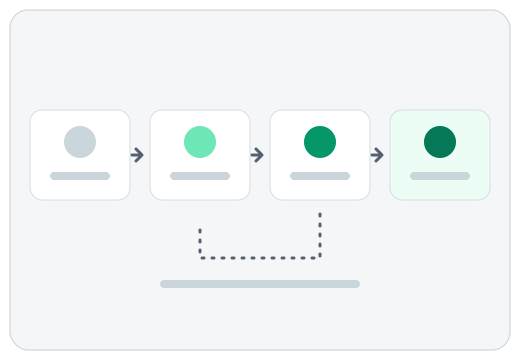
A good approval workflow does four jobs. It stops mistakes from reaching the public. It makes it clear who is responsible at each step. It keeps a record of what was decided and why. And it does all this without adding so many steps that content goes stale while it waits. If a step does not serve one of those jobs, question it.
Step 1: Draft against a brief
Approval goes quicker when the draft is judged against something written down. For each client, keep a short brief: the voice, the topics to cover and avoid, the words to use and avoid, and anything legally or commercially sensitive. When reviewers disagree about a draft, they are usually disagreeing about an unwritten rule. Writing the rules down turns arguments into checks.
Step 2: Internal review
Before a client sees anything, one person in your agency should read it with fresh eyes. They check the draft against the brief, check facts, links and names, and decide one of three things: accept, edit, or reject. Rejecting with a reason matters, because it tells the writer, or the tool that drafted it, what to change. Keep the reasons to a short list so they can be counted: off-brand tone, factually wrong, off-topic, repetitive, too long or short, breaks the client's rules.
Separate decisions are useful when a post has an image. The words may be fine and the image wrong, or the reverse. If you can accept one and reject the other, nothing gets thrown away that was good.
Step 3: Decide whether the client approves
Not every client needs to approve every post. Agree this up front, per client, in one of three modes:
- Agency approves. The client trusts the brief, and your internal reviewer has the final say. This is the fastest mode.
- Client sees, does not approve. The client receives a regular summary of what has been approved, for information. They can raise a concern but nothing waits on them.
- Client approves. Each item waits for sign-off. Use this for sensitive clients, regulated content and launches.
The middle mode is underused. It gives clients visibility, which is most of what they want, without making their calendar your bottleneck.
Step 4: Set a response window
Whatever mode a client is in, agree how long a review can take and what happens after. For client-approval items, a common agreement is that silence beyond the window means the agency may proceed, or that the item moves to the next slot. Whichever you pick, write it into the working agreement and stick to it, so a late reply never becomes an emergency.
Step 5: Publish deliberately
Approved should not mean automatically published. Someone should choose the day and place, and give the content a final look in its real context: the link works, the image crops properly, the post is on the right account. Keeping publishing as a deliberate step also means a change of mind is cheap. A post that was approved on Tuesday can still be held on Wednesday if the news changes.
Step 6: Keep a record
Record each decision: who accepted or rejected, when, and why. This protects you when a client says they never saw something, and it lets you spot patterns. If one client's drafts are rejected for the same reason again and again, the brief needs work. If one reviewer rejects far more than the others, calibrate.
Handling edits after approval
Decide what happens when someone edits approved content. The safest rule is that any edit sends the item back to review, so what was approved is always what was last read. It sounds strict, but it prevents the most common failure: a small late change that nobody checked.
Where tools fit
You can run this workflow in a spreadsheet, a shared inbox or a project tool. Problems begin when the draft, the decision and the history live in different places. A review queue that shows drafts by client, channel and status, with each decision and reason stored against the draft, removes most of the chasing.
Zentivue is built around this approach for AI-drafted content. Drafts for every client wait in one review queue, copy and image are decided separately, rejections carry a reason, editing an approved draft sends it back to review, and each client can optionally receive a morning email of what has been approved. Nothing is posted for you. Read how it works or see how agencies use it.
A one-page version
- Write a brief for each client.
- Draft against it.
- Review internally and record accept, edit or reject, with a reason.
- Choose each client's approval mode: agency approves, client sees, or client approves.
- Agree a response window and what happens when it passes.
- Publish deliberately, after a last look in context.
- Send any post-approval edit back to review.
- Review the reasons for rejection regularly and update the briefs.