

How AI content generation works in Zentivue
AI content generation means a model writes a first draft from a brief instead of a person starting from nothing. In Zentivue the brief is the voice, topics and look you set for each client, and the draft always goes to a person before it is used. Here is the whole path, from setup to published post.
Set up a client
Add the company, then give it a voice, topics and a look. Do it once; change it whenever the client changes.
Add campaigns if you need them
A campaign adjusts a client's settings for a while, such as a different tone for a launch.
Drafts arrive
Zentivue writes a batch each week, with images, and you can ask for more at any time.
Your team reviews
Read, edit, accept or reject. Rejections carry a reason.
You publish
Copy or download what is approved and post it yourself.
What happens each week
For every active client, Zentivue prepares the drafts that client's settings call for: automated social media content for the channels you chose, emails and blog articles. When a batch is finished, one email tells your team how many drafts are ready, with a button that opens just that batch. The email never contains the drafts themselves.
Administrators can also use Generate Now to ask for drafts on demand, for chosen clients and channels, with an estimate of how much of the month's remaining allowance a request would use.
What reviewers do
Drafts wait in the review list until someone decides. Reviewers edit the words, accept or reject the copy, and accept or reject the image separately. A draft is approved when both are accepted. Editing an approved draft sends it back for review, so what is approved is always what was last read.
Rejecting copy is final, and a rejected draft cannot be edited. Rejecting only an image keeps the draft open so you can make a new image or approve the copy without one.
How it improves
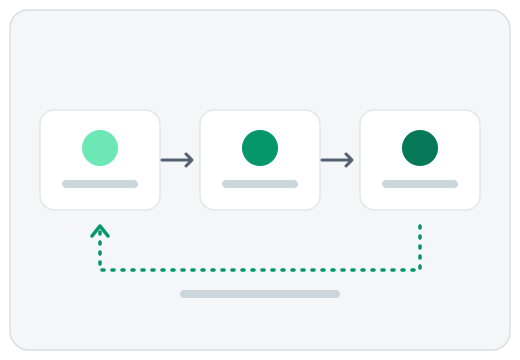
Zentivue looks at what your team accepts, edits and rejects, and the reasons given. Once enough decisions build up, it writes a short note of the campaign's preferences and adds it to its instructions for later drafts. It never changes your settings or its built-in rules. If a new lesson makes drafts get accepted clearly less often, Zentivue rolls it back by itself.
Where it stops
Zentivue does not connect to your social accounts and does not post. When a draft is approved you choose how to take it: share it from a phone, copy it with its formatting, copy it as plain text, or download it as HTML, Markdown, text or an image. Then you publish it in the place you already use. For the full list of what it does, see the features.