


LinkedIn post generator that sounds like your client
Zentivue is a LinkedIn post generator for people who write for more than one company. It drafts AI LinkedIn posts for business in each client's own voice, on topics you choose, and holds every one for your review. Nothing is published for you.
Why LinkedIn posts slip
LinkedIn rewards steady, specific posting, and that is exactly what gets dropped when client work is busy. Writing LinkedIn content for clients also means switching voice all day: a measured advisory firm in the morning, a playful design studio after lunch.
How Zentivue drafts a LinkedIn post
- Voice first. Each client has a voice, tone sliders, a business description, core topics, topics to avoid and words to use or skip. LinkedIn drafts follow them.
- The right shape. LinkedIn posts are plain text, typically 100 to 250 words, with a few hashtags. If you give a client standard hashtags, they are used.
- A rotation of post types. You set how often each kind of post comes up, so a feed is not the same idea repeated.
- An image where one fits, in the client's colours and style.
- A weekly batch. Choose how many LinkedIn drafts each client gets per week, and Zentivue prepares them on schedule.
An example draft
This is a made-up example for a fictional bookkeeping firm, shown to illustrate the format. It is not a real client.
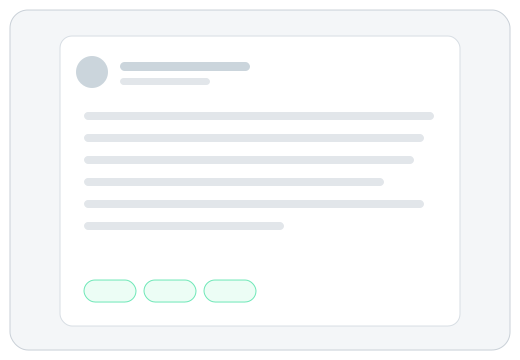
Most small businesses do not have a cash problem. They have a visibility problem.
When invoices go out late and bills are paid in bulk, the bank balance tells you very little about how the month is really going. A weekly ten-minute look at what is owed to you and what you owe is usually enough to change the conversation.
What is the one number you check every Monday?
#SmallBusiness #Bookkeeping #CashFlow
You stay in control
Reviewers edit the text, accept or reject it with a reason, or ask for a new version with a short instruction. Approved posts can be copied, shared from a phone or downloaded, and you publish them on LinkedIn yourself. See how review works.
LinkedIn post questions
Does Zentivue post to LinkedIn?
No. It drafts posts and never connects to your LinkedIn account. You copy or download approved posts and publish them yourself.
Can it write for several LinkedIn pages?
Yes. Each client has its own settings, so one workspace can draft for many companies without their voices mixing.
Will the posts include hashtags?
Yes, a few, and the client's standard hashtags are used when you set them.
What if a post is off-voice?
Edit it, reject it with a reason, or ask for a new version. Zentivue learns from those choices, and the settings you chose always win.
Also see all features or drafts for Facebook and Instagram.